Invite your own trader
If a trader you already work with is not in the results, invite them. They get one email asking them to add their business details on the vendor portal, and you can shortlist them straight away.
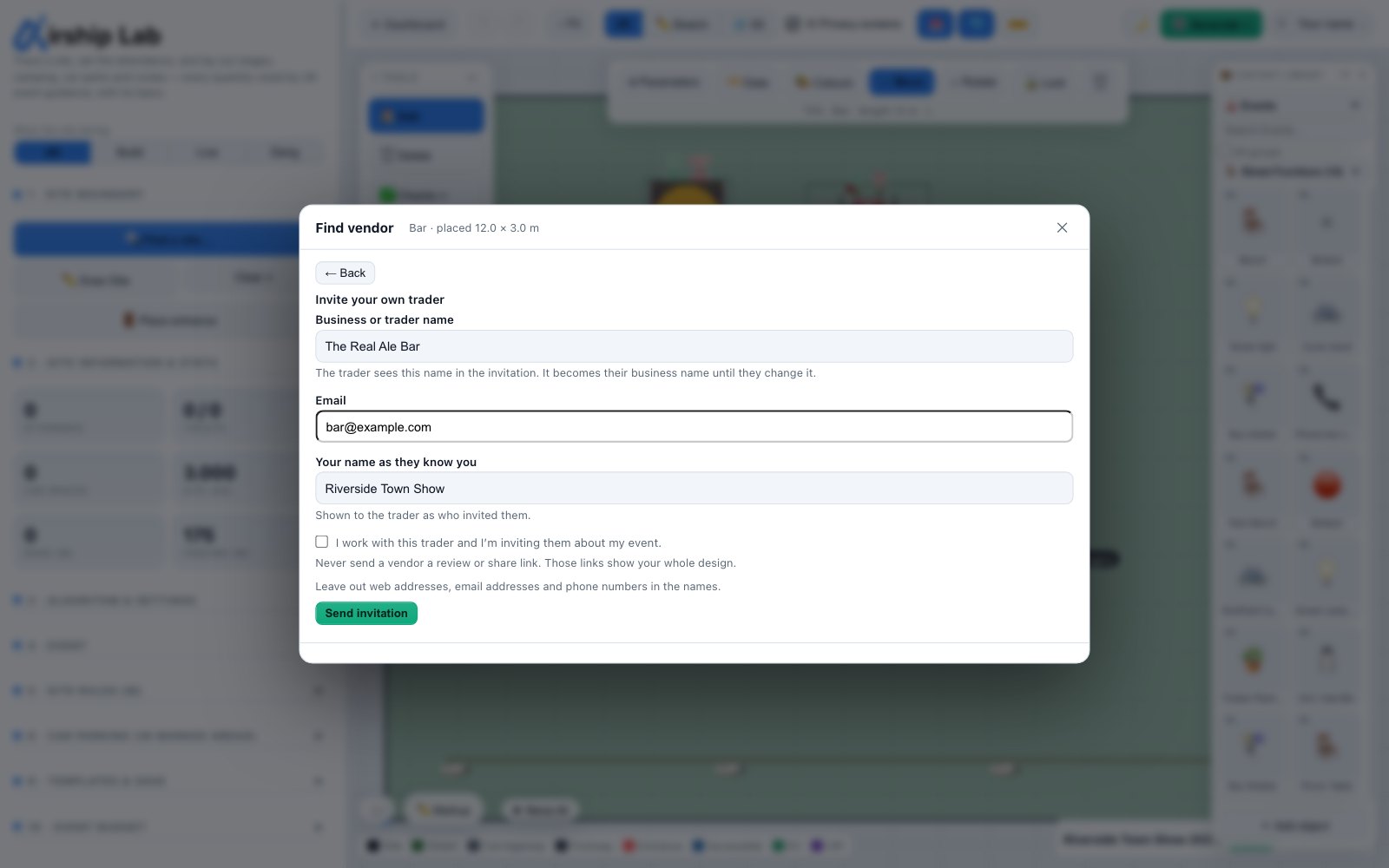
Sending an invitation
Use Not listed? Invite them in Find vendor, or Invite a trader in the sidebar. You give:
- Business or trader name — the trader sees this name in the invitation. It becomes their business name until they change it.
- Email.
- Your name as they know you — shown to the trader as who invited them.
- The tick I work with this trader and I’m inviting them about my event.
Leave out web addresses, email addresses and phone numbers in the names: the invitation is sent from Airship, so the names may not carry links or contact details. Your own email address must be confirmed before you can invite anyone.
After you invite
The trader is private to your workspace: no other organiser sees them. They appear under Your invited traders in Find vendor, and on any pitch you shortlist them on as Invited, not set up yet until they accept. From there you can Resend the invitation (up to five sends) or Revoke it while they have not set up yet.
- If the person asked not to receive invitations, nothing is sent and you are told so.
- If the address has had its invitations for the day, you are asked to try tomorrow.
- If you invited them before and they have set up, they are already in your results.
Invitations expire after 14 days. A trader who has staff, or who is already on Airship through another organiser, sets up a separate business for your invitation, for now.
Try it on your own site
Turn a boundary into an optimised UK layout in minutes — free to start.
Open the app →